
This fix is for Philips SpeechExec Pro Dictate software, error message
Philips SpeechExec Pro Dictate/Pro Transcribe cannot be started because licensing information could not be retrieved
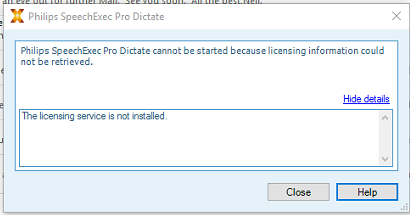
The Windows Service 'Flexnet Licensing Service' is either uninstalled or has been disabled. This is generally caused by a Windows update or antivirus update where the service seems suspicious.
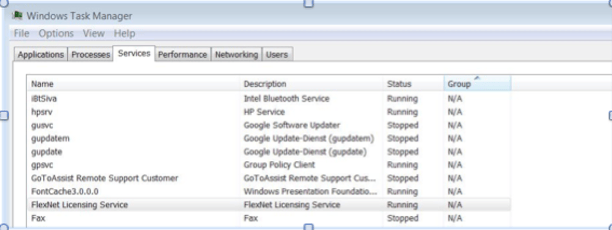
You can check the service under task manager/ services. If the service is installed, it should look like the picture below
-
Locate “Flexnet Licensing Service”, right click and select Open service
-
If it set to 'Disabled', change to 'Manual' and try launching SpeechExec again
If the service is missing, run a repair on the SpeechExec software.